If you’d like to have your pattern printed for you, please try netprinter.co.uk. They offer high quality, affordable printing on paper sizes up to A0. Worldwide shipping available.
Test your print settings
Download this Control Line page to test your settings are correct before printing your pattern:
CONTROL LINE
Printing A4 and US Letter sized pages:
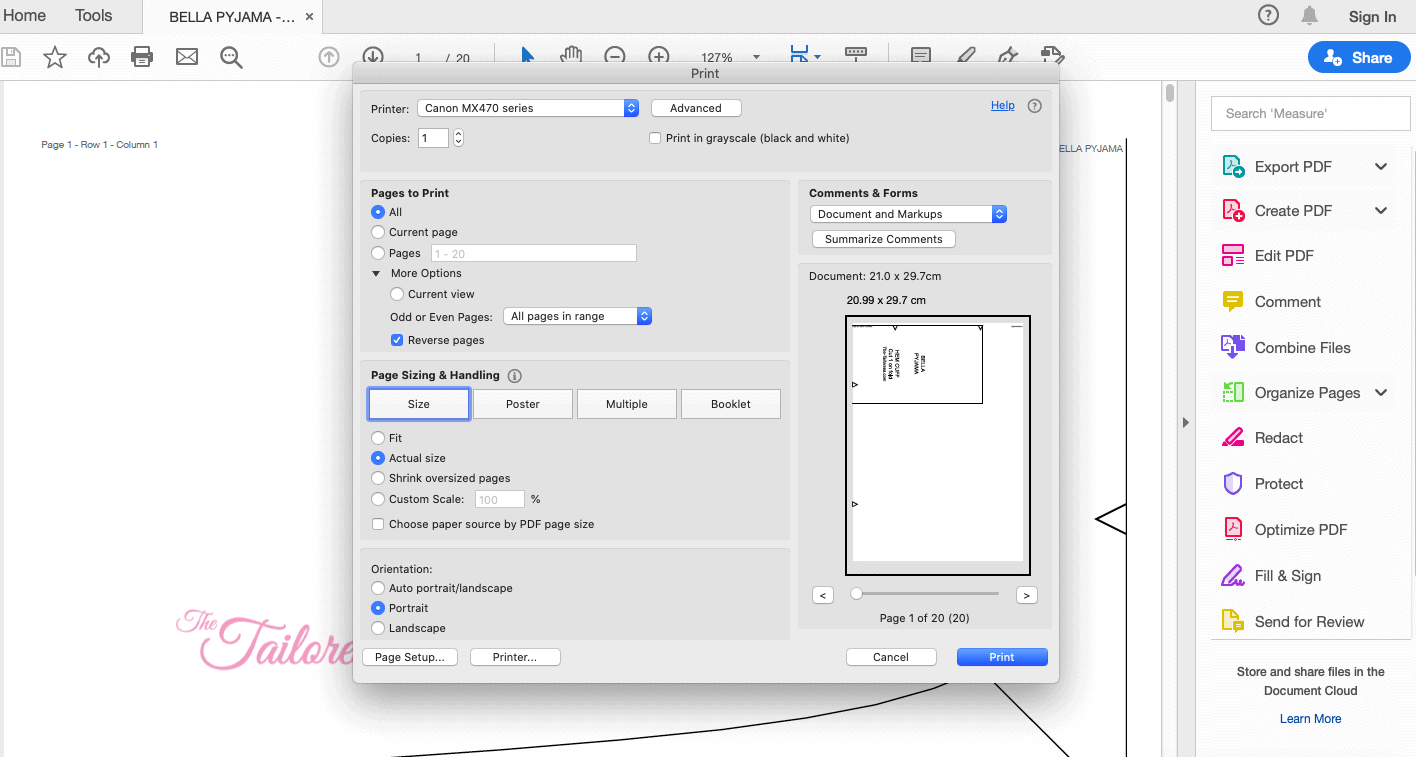
Select PRINT from whichever PDF viewer you are using. Ensure to set the print settings to “100%”, “FULLSCALE” ឬ “ACTUAL” size to avoid your viewer from resizing the pages.
In the top left of each page you should see Page 1 – ជួរ 1 – ជួរឈរ 1. ទំព័របន្ទាប់នឹងបង្ហាញទំព័រ 2 – ជួរ 1 – ជួរឈរ 2 ល។. ជួរដេកគឺផ្ដេក និងជួរឈរបញ្ឈរ.
អ្នកគួរផ្គូផ្គងបន្ទាត់ត្រង់បញ្ឈរនៅខាងស្តាំដៃនៃទំព័រទៅផ្នែកខាងឆ្វេងនៃទំព័របន្ទាប់ដោយគ្មានបន្ទាត់បញ្ឈរត្រង់, ផ្គូផ្គងត្រីកោណដើម្បីបង្កើតពេជ្រ. បត់ក្រដាសត្រឡប់មកវិញតាមបន្ទាត់បញ្ឈរដើម្បីធ្វើឱ្យការផ្គូផ្គងត្រីកោណកាន់តែងាយស្រួល. ម៉ាស៊ីនបោះពុម្ពរបស់អ្នកនឹងបោះពុម្ពទំព័រតាមជួរ, ដូច្នេះ វាត្រូវបានណែនាំអោយកាត់ជួរនីមួយៗ ហើយបន្ទាប់មក ចងជាជួរ.
តែងតែប្រមូលផ្តុំទំព័រមុនពេលកាត់លំនាំចេញ.


Printing your copyshop PDF:
1. Download the latest version of ADOBE READER (the free version not the extended version):
http://get.adobe.com/
2. Open up the pattern PDF in Adobe Reader.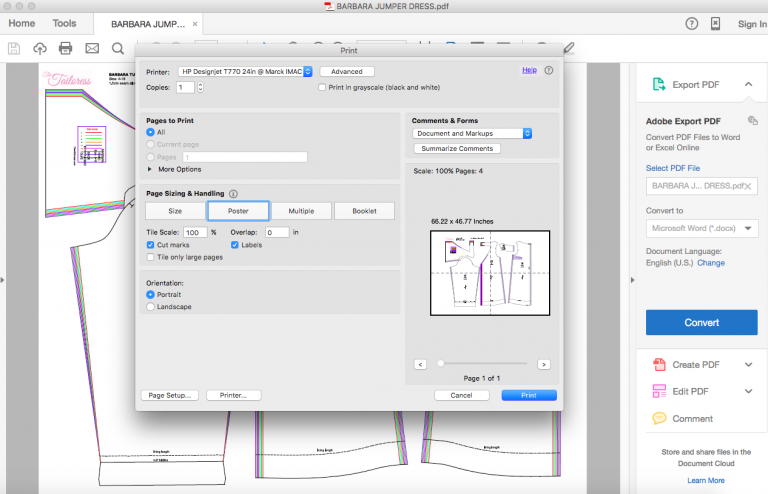
3. Select print. Under ‘PAGE SIZING AND HANDLING’ select ‘POSTER’. Also check the boxes under ‘Poster’ for ‘CUT MARKS’ and ‘LABELS’. You will be able to see your pattern previewed as it will print to the right of the print dialog box
4. Click ‘Page Setup’ in the bottom left corner to choose your printers paper size.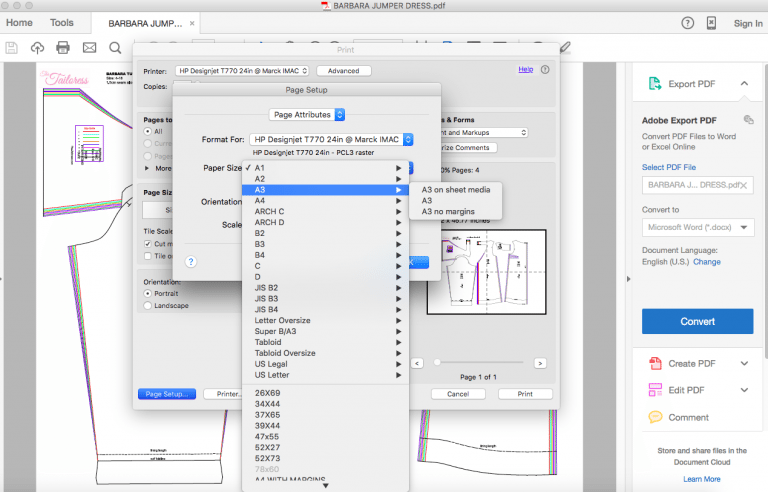
5. Print!
6. You will then need to trim the page margins and match the pages. Each page will have co-ordinates i.e. (1,3). The first number tells you the column number and the second tells you the placement on the column.